
What to Do When Your Laptop Won’t Turn On
Professional Data Recovery Services for Dead Laptops in Frisco, TX
Few things are more frustrating than pressing the power button on your laptop and getting no response. Whether it contains family photos, business documents, school projects, or critical work files, a laptop that won’t turn on can quickly turn into a stressful situation. The good news is that a dead laptop does not always mean your data is lost.
At PC Geeks, we help Frisco residents and businesses recover valuable files from laptops that have stopped working. Our experienced technicians understand how important your data is, and we use safe, professional recovery methods designed to protect your files while diagnosing the underlying hardware issue. From laptops affected by power failures and liquid damage to systems that simply refuse to boot, our team provides reliable solutions tailored to each situation.
As Frisco continues to grow with thriving neighborhoods, expanding businesses, and busy professionals working throughout areas near The Star and Stonebriar Centre, dependable technology has become essential. When a laptop fails unexpectedly, having access to trusted local experts can make all the difference. Understanding what causes these failures and how professionals approach data recovery can help you make the right decisions when your computer stops working.
Why a Laptop May Suddenly Stop Turning On
A laptop that won’t power on can fail for several different reasons. In many cases, the issue involves hardware rather than the actual data stored on the device.
Common causes include:
- Failed power supplies or charging systems
- Dead or damaged batteries
- Motherboard failures
- Overheating damage
- Liquid spills
- Faulty RAM or storage devices
- Physical impact or accidental drops
Recent industry reports indicate that hardware failures remain one of the leading causes of data loss for both consumers and businesses. While modern storage devices are highly reliable, they are still vulnerable to electrical failures, component wear, and environmental damage.
The encouraging news is that even when the laptop itself appears completely dead, the storage drive often remains intact and recoverable.
What You Should Do Before Attempting Any Repairs
When your laptop won’t turn on, it can be tempting to search for quick fixes online and start taking things apart yourself. Unfortunately, improper handling can make data recovery more difficult and sometimes impossible.
Before doing anything else:
First, disconnect all external devices, including USB drives, printers, and docking stations. Occasionally, an external device may interfere with startup.
Next, verify that the charger and power outlet are functioning properly. A faulty charger can sometimes mimic a serious hardware failure.
Avoid repeatedly pressing the power button or attempting multiple forced startups. If there is an electrical issue, repeated attempts could worsen component damage.
Most importantly, do not open the laptop unless you have professional repair experience. Modern laptops contain delicate components, and improper disassembly can damage the storage device where your data is stored.
If your files are important, your safest option is to seek professional assistance as soon as possible.
How Professionals Safely Recover Data From a Dead Laptop
Professional data recovery involves a systematic process designed to protect your files while identifying the source of the failure.
At PC Geeks, our technicians begin with a thorough diagnostic evaluation. This allows us to determine whether the issue involves power delivery, the motherboard, memory, storage hardware, or another component.
Once the problem is identified, several recovery approaches may be used.
Recovering Data From an Intact Storage Drive
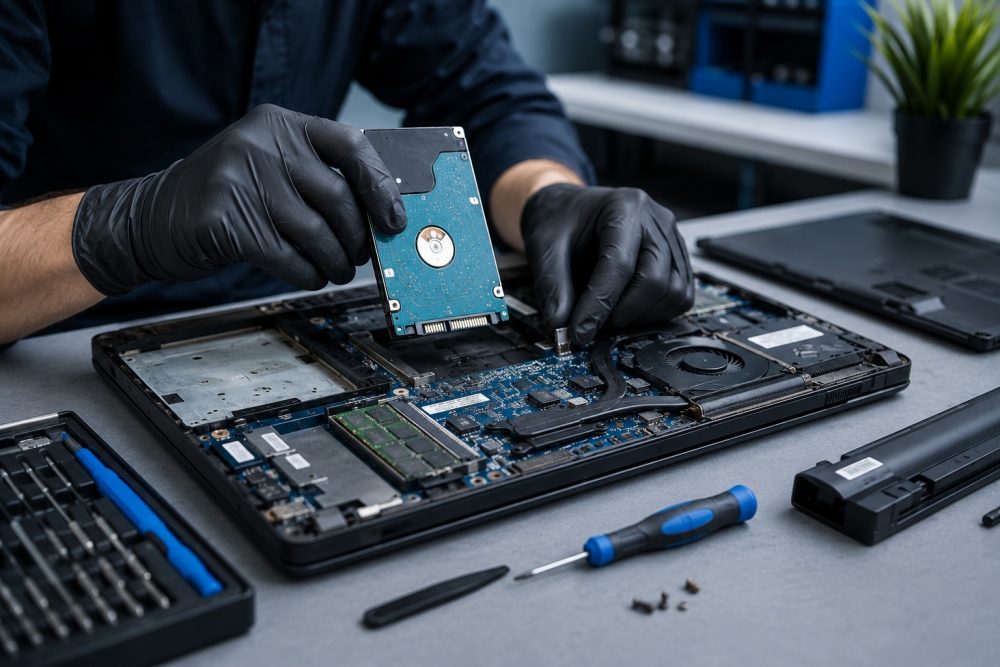
If the laptop itself has failed but the hard drive or solid-state drive remains healthy, technicians can safely remove the storage device and connect it to specialized recovery systems.
This method often allows direct access to documents, photos, videos, emails, and other important files without requiring the original laptop to function.
Repairing Critical Components Temporarily
In some situations, temporary repairs may be performed to restore access to the storage device.
For example, if a motherboard issue is preventing startup, technicians may repair or bypass specific components long enough to access and transfer the data safely.
Advanced Recovery for Damaged Drives
When the storage device itself has been damaged, more advanced recovery methods may be necessary.
Specialized software and hardware tools can sometimes recover files from drives experiencing corruption, bad sectors, or electronic failures. These techniques require expertise and controlled procedures to maximize recovery success.
Why DIY Data Recovery Can Be Risky
Online tutorials often make data recovery appear simple, but every failed recovery attempt increases the risk of permanent file loss.
Several common mistakes include:
- Opening drives in non-controlled environments
- Using incompatible recovery software
- Formatting drives accidentally
- Installing new operating systems over existing data
- Continuing to use failing storage devices
Solid-state drives (SSDs), which are common in modern laptops, present additional challenges. Their internal architecture differs significantly from traditional hard drives, making professional handling especially important.
Attempting recovery without the proper tools can turn a recoverable situation into a permanent loss.
Benefits of Working With a Local Frisco Data Recovery Expert
Choosing a local technology professional offers several advantages when dealing with a dead laptop.
You receive personalized service and direct communication throughout the recovery process. Instead of shipping your device across the country and waiting weeks for updates, you can work directly with technicians who understand your concerns and priorities.
Local expertise also means faster turnaround times. Whether you’re a student, remote worker, small business owner, or family trying to recover treasured memories, quick access to support can reduce downtime and stress.
Frisco’s active business community relies heavily on digital information, making timely recovery services particularly valuable. From entrepreneurs working near Hall Park to professionals commuting throughout Collin County, protecting critical data is often just as important as repairing the computer itself.
How to Protect Your Data From Future Hardware Failures
While no computer lasts forever, proactive planning can dramatically reduce the impact of unexpected failures.
Regular backups remain the most effective protection against data loss. Consider maintaining both cloud-based and external drive backups for important files.
Additional best practices include:
- Keeping operating systems updated
- Monitoring battery health
- Using surge protection
- Avoiding excessive heat exposure
- Addressing unusual noises or performance issues promptly
Routine maintenance can often identify warning signs before a complete failure occurs.
Trust PC Geeks for Safe Laptop Data Recovery in Frisco, TX
A laptop that won’t turn on can feel like a disaster, especially when important files seem trapped inside. Fortunately, professional data recovery techniques often make it possible to retrieve documents, photos, business records, and other valuable information even when the computer itself appears completely dead.
At PC Geeks, we combine technical expertise with a customer-first approach to help Frisco residents recover their data safely and efficiently. Our experienced technicians carefully evaluate every situation and recommend the most effective recovery solution for your specific device.
Ready to recover important files from a laptop that won’t turn on? Contact PC Geeks today through our contact page to schedule a professional diagnostic and learn how we can help protect your valuable data.