How Do I Know If It’s Time to Replace My Hard Drive in Frisco, TX?
The five most common signs that your hard drive needs replacement are unusual clicking noises, slow performance, frequent crashes, missing or corrupted files, and repeated startup problems. If your computer shows these warning signs, especially more than one, your hard drive may be failing. A professional diagnostic can confirm the problem before permanent data loss occurs.
Your computer’s hard drive stores everything from family photos and important documents to business files and software. When it starts failing, the consequences can be frustrating, expensive, and sometimes irreversible. Unfortunately, many computer owners don’t recognize the warning signs until their files become inaccessible.
At PC Geeks in Frisco, TX, we understand how important a reliable computer is to your daily routine. Whether you’re working remotely, running a small business, or helping your kids complete school assignments, unexpected computer problems can bring everything to a halt.
Our team helps Frisco residents identify hardware problems, explore replacement options, and protect their valuable data. Knowing when to replace can save you time, money, and unnecessary stress.
5 Warning Signs Your Hard Drive Is Failing
Hard drives don’t always stop working without warning. In many cases, they show symptoms of deterioration before complete failure.
Recognizing these five signs can help you determine when it’s time to schedule a professional diagnostic or replacement.
1. Why Is My Computer Making Clicking or Grinding Noises?
Repeated clicking, grinding, or scraping noises can indicate mechanical hard drive failure.
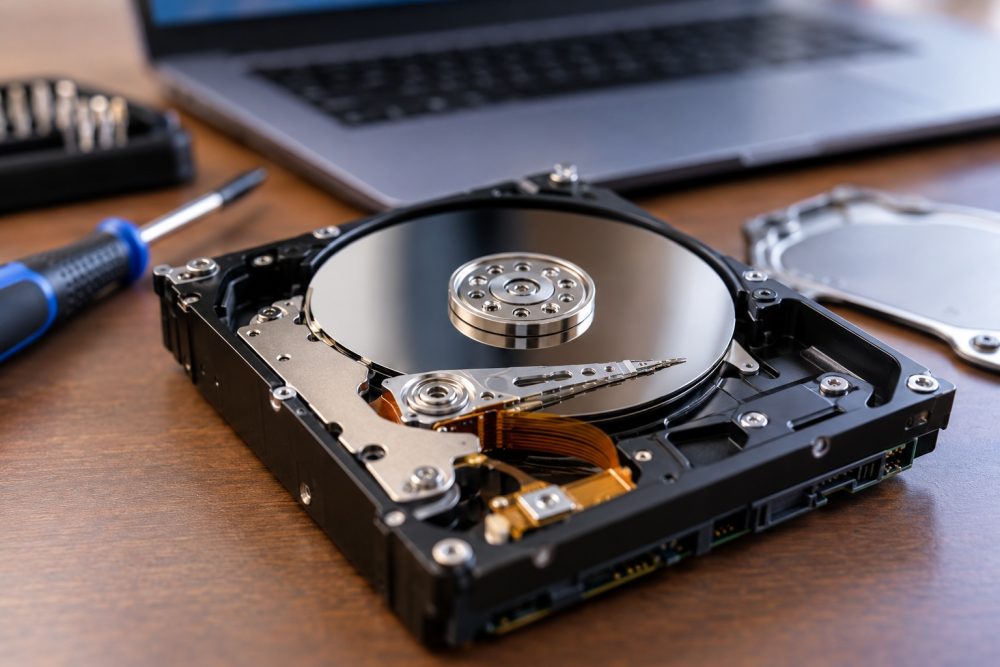
Traditional hard disk drives (HDDs) contain moving components, including spinning platters and read/write heads. When these components malfunction, they may produce unusual sounds.
Common warning noises include:
- Repeated clicking or ticking sounds
- Grinding or scraping noises
- Unusual buzzing or repeated attempts to spin up
- Loud mechanical sounds accompanied by freezing or errors
Occasional normal operating sounds aren’t necessarily concerning. However, new or persistent noises, especially when combined with performance problems, deserve immediate attention.
What should you do?
If your hard drive begins making grinding or repeated clicking sounds, shut down your computer and seek professional assistance. Continuing to operate a mechanically damaged drive can make data recovery more difficult.
Keep in mind that solid-state drives (SSDs) have no moving parts, so they won’t produce mechanical failure noises.
2. Is a Slow Computer a Sign of Hard Drive Failure?
A computer that suddenly becomes extremely slow may have a failing hard drive, particularly when opening files or loading programs takes longer than usual.
While slow performance can result from insufficient memory, outdated software, or malware, deteriorating storage drives can also cause significant delays.
Watch for these symptoms:
- Programs take unusually long to open.
- Files freeze while loading or saving.
- Your computer becomes unresponsive during routine tasks.
- Startup times increase dramatically.
- File transfers frequently stall or fail.
If these problems persist after basic troubleshooting, your storage drive may need attention.
For Frisco professionals who rely on computers for remote work, video meetings, and business operations, these slowdowns can significantly affect productivity.
What should you do?
Start by checking available storage space and closing unnecessary applications. If performance remains poor, PC Geeks can help determine whether the problem involves your hard drive or another component.
Replacing an aging mechanical hard drive with an SSD may also provide a noticeable performance improvement.
3. Why Does My Computer Keep Freezing or Crashing?
Frequent freezing, unexpected restarts, and system crashes can indicate that your computer is struggling to read information from its storage drive.
When a hard drive develops unreadable sectors or other hardware problems, the operating system may have difficulty accessing essential files.
You might notice:
- Frequent blue-screen errors on Windows computers
- Applications crashing unexpectedly
- Your computer freezing during file transfers
- Repeated system errors
- Unexpected shutdowns or restarts
However, these symptoms can also result from faulty RAM, overheating, driver problems, or software conflicts.
That’s why professional diagnostics are important.
At PC Geeks, identifying the actual source of a computer problem helps prevent unnecessary hardware replacements.
If testing confirms that your hard drive is deteriorating, replacing it before complete failure can help protect your files and restore dependable performance.
4. What Does It Mean When Files Disappear or Become Corrupted?
Missing files, corrupted documents, and repeated file-access errors are serious warning signs that your hard drive may be experiencing storage problems.
Your hard drive is responsible for preserving the information your computer uses every day.
When storage sectors become damaged, certain files may become difficult or impossible to access.
Warning signs include:
- Documents that suddenly refuse to open
- Photos or videos displaying errors
- Files disappearing unexpectedly
- Repeated messages about unreadable data
- Folders taking unusually long to load
These issues don’t automatically mean the drive is failing. Software errors, accidental deletion, and malware can produce similar symptoms.
However, unexplained file corruption should never be ignored.
What should you do?
If your files are still accessible and the drive is operating normally, back up important information immediately.
If you suspect physical damage or experience repeated read errors, avoid unnecessary file operations and seek professional help. Intensive troubleshooting can place additional stress on a failing drive.
For Frisco families and businesses, protecting irreplaceable photos, financial records, and important documents should always be the priority.
5. Why Is My Computer Having Trouble Starting Up?
Repeated startup failures, missing operating system messages, and warnings that a storage drive cannot be detected may indicate that your hard drive needs replacement.
Your computer relies on its internal storage drive to load the operating system.
When the drive begins failing, the computer may struggle to locate or read the files needed to start.
Common symptoms include:
- Getting stuck on the startup screen
- Receiving a “Boot Device Not Found” message
- Seeing repeated automatic repair screens
- Experiencing unusually long startup times
- Receiving storage-related hardware warnings
Some computers also display SMART warnings.
SMART stands for Self-Monitoring, Analysis, and Reporting Technology. It monitors certain indicators of storage-drive health.
According to Backblaze, which analyzes reliability data from hundreds of thousands of drives, SMART information can help identify potential hardware problems.
Backblaze’s 2025 Drive Stats report recorded a 1.36% annualized failure rate across 344,196 analyzed hard drives. These figures reflect enterprise data-center conditions, not the expected failure rate of an individual home computer.
The takeaway is simple: Even reliable storage devices can fail, and monitoring their condition matters.
If your computer repeatedly struggles to start, professional testing can help determine whether you need a new hard drive or a different repair.
Should You Replace With an SSD?
For many computer owners, upgrading from a traditional hard drive to a solid-state drive is a worthwhile investment.
SSDs generally offer several advantages over mechanical drives:
- Faster performance: Applications and operating systems typically load more quickly.
- Improved durability: No moving parts means fewer mechanical components that can fail.
- Quieter operation: SSDs operate silently.
- Better efficiency: Many SSDs consume less power than traditional hard drives.
However, SSDs can still fail, so regular backups remain essential.
A professional technician can evaluate your computer’s compatibility, storage requirements, and overall condition before recommending an upgrade.
For many Frisco residents, replacing an aging drive can extend a computer’s useful life without requiring an entirely new system.
Frequently Asked Questions About Drive Replacement
How Long Does a Hard Drive Typically Last?
Many traditional drives operate for approximately three to five years or longer, depending on usage, operating conditions, and manufacturing quality. Age alone doesn’t determine whether replacement is necessary, but older drives should be monitored carefully.
Can a Failing Drive Be Repaired?
Some file-system or software problems can be repaired, but physical damage to internal hard drive components generally requires replacement. A professional diagnosis can determine whether data recovery is possible.
Will I Lose My Files If I Replace My Hard Drive?
Not necessarily. If your existing drive remains readable, a technician may be able to transfer your files to the replacement drive. However, successful data recovery cannot be guaranteed when a drive is severely damaged.
Is It Better to Replace My Hard Drive or Buy a New Computer?
If your computer is otherwise functioning well, replacing the hard drive may be more affordable than purchasing a new device. However, if your computer has multiple hardware problems or is no longer supported by current software, replacement may be the better long-term investment.
Need Hard Drive Replacement in Frisco, TX? Contact PC Geeks!
A failing hard drive can put your important files, productivity, and peace of mind at risk. Recognizing the warning signs early gives you a better opportunity to protect your data and avoid unexpected computer downtime.
Whether your computer is making strange noises, freezing unexpectedly, or struggling to start, PC Geeks is here to help Frisco residents find the right solution.
Our team can help diagnose storage problems, evaluate replacement options, and determine the best approach for protecting your important information.
If you’re experiencing signs of failure, reach out to PC Geeks for professional assistance. Contact PC Geeks Today to get help with hard drive diagnostics and replacement in Frisco, TX!