
Cracked Laptop Screen? Here’s What to Do Next
If you’ve ever watched your laptop tumble off a desk or pulled it from your bag only to find a spiderweb of cracks across the display, you know that sinking feeling all too well. A cracked screen doesn’t just look bad. It interrupts your workday, puts your data at risk, and leaves you wondering whether it’s smarter to repair or replace. At PC Geeks, we’ve been helping families, students, remote workers, and small business owners across Collin County navigate exactly these moments for years. Whether you’re in McKinney, Plano, Frisco, Allen, or anywhere else in the area, our certified technicians are here to take the stress out of tech trouble. We combine honest assessments, quality parts, and a genuine commitment to your satisfaction, because we believe that great computer repair is as much about trust as it is about technical skill. Before you panic or spend money on a brand-new laptop, read on to understand what you’re really dealing with and why calling a professional is almost always the right move.
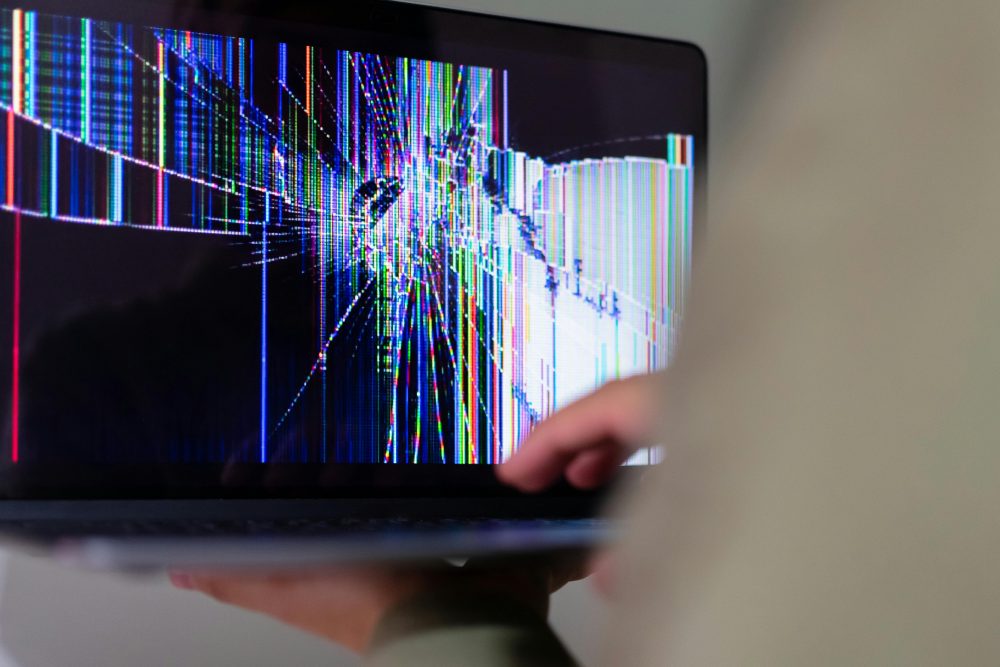
What Actually Happens When Your Laptop Screen Cracks
A cracked laptop screen is more than a cosmetic issue. When the glass or LCD panel fractures, it can allow air and moisture to reach the delicate layers underneath, causing black spots, color bleeding, and dim patches to spread over time. What starts as a small crack in the corner can migrate across the entire display within days, especially in a region like North Texas where temperature swings between scorching summers and cold fronts can cause materials to expand and contract.
There are also two distinct types of damage worth understanding. External cracks affect the glass layer on top, while internal damage affects the LCD or OLED panel itself. Sometimes a screen may look fine on the outside but display distorted lines, flickering, or total blackouts due to impact damage to the panel beneath. A professional technician can assess both layers and give you an accurate picture of what needs to be repaired, rather than guessing based on what you can see from the surface.
One quick diagnostic trick before you bring your laptop in: plug it into an external monitor using an HDMI or USB-C cable. If the external display works normally, the damage is isolated to your laptop screen and the repair is very likely straightforward. If the external monitor shows problems too, there may be a deeper graphics or motherboard issue that also needs attention.
The Real Risks of Attempting a DIY Laptop Screen Repair
Online tutorials make laptop screen replacement look simple, and for tech-savvy individuals, it can be a reasonable option for certain older models. However, there are real risks that most how-to videos gloss over entirely.
Modern laptops are increasingly difficult to disassemble without the right tools. A 2025 report from the Public Interest Research Group found that most major laptop brands, including HP, Dell, Acer, Lenovo, and others, showed little to no improvement in repairability from 2024 to 2025, making DIY repairs harder than ever for the average person. Forcing open a chassis without the proper prying tools can crack the bezel, snap ribbon cables, or damage delicate connectors that are expensive to replace.
Then there’s the screen sourcing problem. Ordering the wrong panel for your exact model is surprisingly easy, and returns can be a hassle. Premium laptops like MacBooks and Microsoft Surface devices use proprietary displays that require precise calibration after replacement, which simply cannot be replicated at home. Attempting a repair without that calibration can leave you with a display that washes out colors, shows incorrect brightness levels, or fails entirely within weeks.
Finally, a failed DIY attempt can sometimes void any remaining manufacturer warranty or make a subsequent professional repair more complicated and costly. The peace of mind that comes with a professional diagnosis and a workmanship guarantee is genuinely worth it.
What to Expect When You Bring Your Laptop to PC Geeks
Walking through our door with a cracked screen doesn’t mean committing to a repair before you understand the full picture. At PC Geeks, our process starts with a thorough diagnostic evaluation. We assess the extent of the damage, identify whether any secondary components (like the backlight, display cable, or graphics card) have been affected, and give you a clear, upfront estimate before any work begins.
We source quality replacement screens appropriate to your specific laptop model, from standard LCD panels to high-resolution displays used in professional and gaming laptops. Our technicians are experienced with a wide range of brands, including Dell, HP, Lenovo, Asus, Acer, Microsoft Surface, and Apple MacBooks. Once the repair is complete, we test the display thoroughly to ensure brightness, color accuracy, and touch functionality (where applicable) are all working exactly as they should.
Collin County is home to a large and growing population of students enrolled at Collin College campuses in McKinney, Frisco, and Plano, as well as thousands of remote professionals and small business owners who depend on their laptops every single day. We understand that being without your device, even for a short time, carries real consequences. That’s why we work efficiently and keep you informed throughout the process.
Repair vs. Replace: How to Know Which Makes Sense for You
One of the most common questions we hear is whether it’s worth fixing an older laptop or simply buying a new one. The answer depends on a few key factors, and we’re always happy to help you think it through honestly.
As a general rule, if your laptop is relatively new (within the last three to four years), in otherwise good working condition, and the only issue is a cracked screen, repair is almost certainly the better financial decision. Screen replacement typically costs between $120 and $400 depending on the model and display type, which is a fraction of what you’d spend on a new laptop of comparable quality. For most people, that math is clear.
If your laptop is older, has other hardware issues, or the repair cost approaches 50 percent or more of the device’s current market value, replacement may be the smarter move. The good news is that our team will always give you an honest recommendation. We’re not in the business of pushing unnecessary repairs, and we’ll tell you plainly if we think your money is better spent elsewhere. That kind of transparency is part of what has made PC Geeks a trusted name across Collin County.
Tips to Protect Your Laptop Screen After Repair (and Before the Next Accident)
Once your screen is repaired, a few simple habits can go a long way toward preventing future damage.
A quality laptop sleeve or padded bag is one of the best investments you can make. Research suggests that using a proper laptop sleeve can reduce the risk of screen damage by up to 60 percent. For students carrying their laptops between classes at Collin College locations in Allen, Wylie, or McKinney, or for professionals commuting to offices in Plano’s Legacy Business District or along the Dallas North Tollway corridor, that added protection is invaluable.
Avoid placing anything heavy on top of your closed laptop, including books, bags, or other devices. Even modest pressure applied unevenly across the lid can stress the display panel and cause cracks to appear over time. When cleaning your screen, use only a soft microfiber cloth and avoid pressing hard in any single spot.
If you work from a desk most of the time, consider using your laptop in clamshell mode connected to an external monitor. This keeps the screen protected during your workday and reduces the wear and tear that comes from opening and closing the lid hundreds of times a year.
Ready to Get Your Screen Fixed? Contact PC Geeks Today.
A cracked laptop screen doesn’t have to derail your day, your semester, or your business. The team at PC Geeks is ready to help residents and professionals across Collin County, including McKinney, Plano, Frisco, Allen, Wylie, and the surrounding communities, get back up and running with fast, reliable, and honest service.
Don’t wait for a small crack to become a screen you can barely see through. Contact PC Geeks today to schedule your diagnostic and get a clear, no-obligation estimate. We’ll take great care of your laptop and of you.